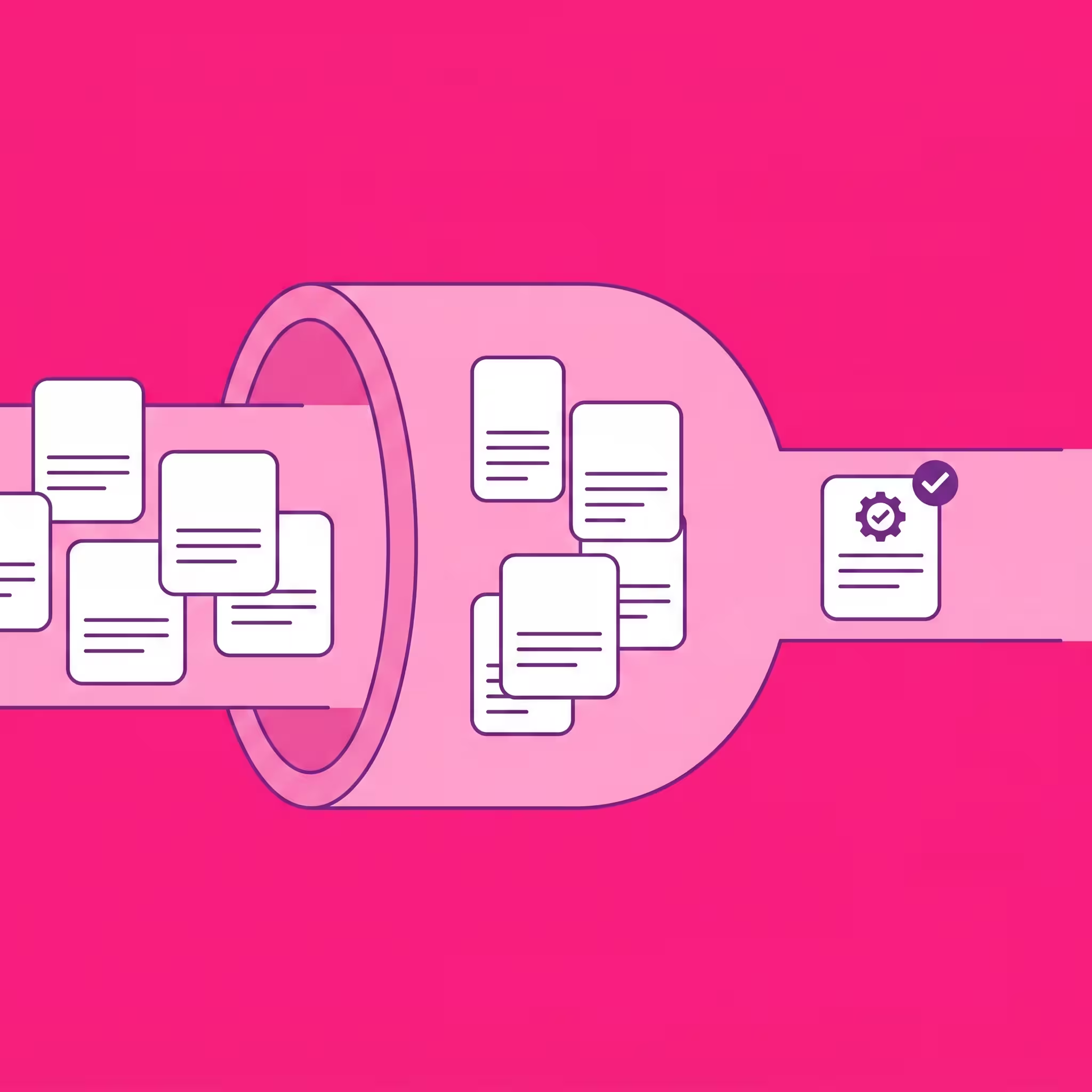

Your team just posted a Senior Product Manager role and 1,200 applications landed in 48 hours. Sound familiar? High-volume hiring has become the default for growing companies, and the gap between applicant volume and recruiter capacity is wider than ever. The average recruiter can meaningfully review 40-50 resumes per day. At that pace, triaging 1,200 applicants takes nearly five full working weeks — and by then, your top candidates have accepted offers elsewhere.
This is the core problem AI application management solves: not just screening faster, but fundamentally changing how recruiting teams handle volume so that every qualified applicant gets reviewed and the best ones reach an interview within days, not weeks.
In this guide, we break down the practical strategies, tools, and workflows that modern recruiting teams use to manage high-volume applications without burning out their recruiters or losing top talent. We cover everything from AI-powered auto-triage to ATS integration patterns, with real numbers on what works and what to avoid. GoPerfect's AI recruiting agent plays a central role because it was specifically built for this problem — but we also cover when other approaches make more sense.
Why Traditional Screening Breaks at High Volume
Before diving into solutions, it helps to understand exactly where and why the traditional screening process fails when application volume spikes. The breakdown happens in several predictable ways:
Speed-to-review decay. When a recruiter has 50 applications, they can review each one carefully. When they have 500, they start skimming. At 1,000+, they often resort to keyword filters that miss qualified candidates who describe their experience differently. A 2025 study by Josh Bersin Research found that recruiter accuracy drops by 35% after reviewing more than 100 resumes in a single session — yet many recruiting teams routinely face batches larger than this.
Top-of-pile bias. Applications that arrive early get more attention. Candidates who apply on day three of a posting may never be reviewed if the recruiter has already identified enough people from day one. This is a structural bias that hurts diversity — applicants from different time zones, those who take time to craft thoughtful applications, and passive candidates who notice the posting later all get disadvantaged.
Inconsistent evaluation criteria. When multiple recruiters screen the same pipeline, they apply different standards. What one recruiter considers a strong candidate, another might pass on. At high volumes, this inconsistency compounds — you end up with a shortlist that reflects individual recruiter preferences rather than actual job fit.
Candidate experience collapse. The biggest hidden cost of high volume is the candidate experience. When recruiters are overwhelmed, response times extend from days to weeks. Many applicants never hear back at all — the ATS becomes a black hole. This damages your employer brand and makes future hiring harder. In a 2025 Talent Board survey, 52% of candidates said they would not apply to a company again after a poor application experience.
The recruiter burnout spiral. High-volume screening is the most tedious part of recruiting. When recruiters spend 60%+ of their time reading resumes rather than talking to candidates, job satisfaction plummets. Turnover in recruiting teams averages 30% annually, and screening burden is consistently cited as a top contributor.
The AI-Powered Application Management Framework
AI doesn't just make screening faster — it changes the entire workflow. Instead of recruiters reviewing a pile of resumes, the AI triages applicants into categories and the recruiter reviews pre-sorted groups. Here's how the best teams structure this:
Step 1: Connect Your ATS to an AI Screening Layer
The foundation of AI application management is connecting your applicant tracking system to an AI screening tool that can read and evaluate applications in real time. The key word is 'real time' — batch processing (reviewing applications once a day or once a week) is too slow for high-volume roles where top candidates are making decisions within 48-72 hours.
GoPerfect connects to 60+ ATS systems via its Merge integration, including Greenhouse, Lever, Workday, Ashby, iCIMS, Bullhorn, BambooHR, JazzHR, and more. The connection is one-click — no IT involvement, no API configuration, no data migration. Once connected, GoPerfect monitors your ATS for new applicants via push notifications and hourly polling, evaluating each one as it arrives.
Other tools that offer ATS-connected screening include Eightfold AI (primarily for enterprise), HireVue (focused on video-based assessment), and SeekOut (stronger on the sourcing side). The critical factor is bi-directional sync — the AI needs to both read applications from your ATS and write status updates back, so your recruiters see results in their existing workflow without switching between tools.
Step 2: Define Screening Criteria (Not Just Keywords)
This is where most screening approaches fail. Traditional ATS filters use keyword matching: if the resume contains 'Python' and 'machine learning,' it passes. If a candidate describes the same skills using different terminology ('ML models,' 'predictive algorithms,' 'scikit-learn'), they get filtered out. At high volume, keyword filtering can reject 30-40% of qualified candidates.
Modern AI screening uses semantic understanding. GoPerfect reads your job description and any recruiter clarifications to build a contextual understanding of what the role requires — seniority level, industry background, specific skills, team dynamics, and career trajectory. It then evaluates each applicant against this full picture, not just a keyword list.
For example, if you're hiring a Senior Backend Engineer for a fintech company, GoPerfect understands that a candidate with 'Staff Engineer at a payments startup' is a strong match even if their resume never mentions 'fintech.' This semantic matching is what allows AI to maintain accuracy at volumes where keyword filters break down.
Step 3: Implement Auto-Triage Rules
Auto-triage is the highest-leverage feature for high-volume hiring. Instead of a recruiter reviewing every application, the AI sorts applicants into three buckets:
- Auto-approved (score > 4.0): Strong matches that should advance to the next stage immediately. These candidates get fast-tracked — automatic status update in your ATS, immediate outreach or scheduling.
- Review queue (score 3.0-4.0): Candidates that are potentially a fit but need human judgment. The recruiter reviews only this group, which is typically 15-25% of total applicants.
- Auto-declined (score < 3.0): Candidates who don't meet the basic requirements. They receive an automated response (GoPerfect's zero-ghosting guarantee means every applicant gets closure) and are archived in your ATS.
The math is straightforward: if you receive 1,000 applications and 70% are auto-triaged (either approved or declined), your recruiter only needs to review 300 instead of 1,000. At 50 reviews per day, that's 6 days instead of 20 — and the recruiter is making higher-quality decisions because they're focused on the borderline cases that actually require human judgment.
GoPerfect's 1-5 explainable scoring system is what makes auto-triage trustworthy. Each score comes with a written explanation: 'Scored 4.3: 7 years of backend engineering at B2B SaaS companies, experience with distributed systems at scale, previous fintech exposure at Stripe. Gaps: no direct team lead experience.' Recruiters can audit the AI's reasoning and adjust triage thresholds based on what they see.
Step 4: Build Speed Into Your Response Workflow
Auto-triage is only valuable if your team acts on it quickly. The best high-volume workflows build speed into every step:
- Auto-approved candidates trigger immediate outreach — either an interview scheduling link or a personalized message from the recruiter
- Review-queue candidates get a same-day or next-day human review, with a 48-hour SLA for all applicants
- Auto-declined candidates receive a thoughtful rejection within 24 hours (not a form letter — GoPerfect generates personalized responses)
- Recruiter notifications are push-based, not pull-based — you get alerts when strong candidates arrive, rather than having to check the ATS manually
GoPerfect's platform facilitates over 15,000 interviews per month and achieves a 55% candidate acceptance rate compared to the 29% industry average. A significant portion of this performance gap comes from speed — when you respond to a strong applicant within hours instead of weeks, your acceptance rate naturally increases.
8 Best Tools for Managing High-Volume Applications in 2026
1. GoPerfect
Best for: Teams that need both inbound screening and outbound sourcing with auto-triage at scale
GoPerfect is the only AI recruiting agent that handles high-volume inbound screening AND outbound sourcing from a single platform. Its auto-triage system processes applications in real time via 60+ ATS integrations, scores candidates 1-5 with explainable reasoning, and automatically sorts them into approved/review/declined buckets. The zero-ghosting guarantee means every applicant gets a response — critical for employer brand at high volume. On the outbound side, GoPerfect searches 800M+ profiles with semantic matching and sends AI-written personalized outreach across LinkedIn, email, and SMS. Pricing: $250/user/month (annual), includes 150 sourcing/outreach credits.
2. Eightfold AI
Best for: Enterprise organizations (1,000+ employees) with complex talent ecosystems
Eightfold's deep learning engine handles high-volume screening as part of a broader talent intelligence suite. It infers skills from career trajectories and calibrates from recruiter feedback. Strong bias detection and DEI analytics. The tradeoff is implementation timeline (months, not days) and enterprise-level pricing ($100K+/year). For mid-market teams that need similar AI matching quality with faster setup, GoPerfect delivers comparable accuracy with same-day deployment.
3. HireVue
Best for: High-volume entry-level and customer-facing roles
HireVue uses AI-evaluated video interviews and game-based assessments to screen at scale. Strong for roles where communication skills and behavioral traits matter (call centers, retail, hospitality). The candidate-facing step (recording a video) reduces completion rates by 20-40%, which can be acceptable for entry-level roles with deep applicant pools but problematic for competitive positions. Does not screen passively from ATS data like GoPerfect does.
4. SeekOut
Best for: Diversity-focused high-volume sourcing
SeekOut excels at finding diverse candidates across 800M+ profiles with specialized filters. Good for teams that need to actively source diverse pipelines at volume, but inbound screening capabilities are limited. You'd need to pair SeekOut with a separate screening tool (or use GoPerfect for unified sourcing + screening).
5. hireEZ
Best for: Multi-source candidate discovery at volume
hireEZ aggregates data from 45+ platforms and can resurface candidates from your existing ATS database — useful for high-volume teams that want to re-engage past applicants. Boolean-enhanced search and automated outreach. However, hireEZ doesn't offer real-time inbound screening with auto-triage. For managing live application volume, you'd need to combine hireEZ with GoPerfect or another screening tool.
6. Vervoe
Best for: Skills-verified screening at moderate volume
Vervoe's AI-generated skills assessments can screen candidates based on demonstrated ability rather than resume claims. 300+ pre-built templates for different roles. Works well for roles where skills verification matters (engineering, customer support), but the assessment step limits throughput — completion rates drop at very high volumes. Better suited for 100-500 applicants per role than 1,000+.
7. Peoplebox
Best for: Teams already on the Peoplebox platform
Peoplebox offers AI resume parsing and automated shortlisting as part of its broader HR suite. Good integration with OKR and performance management. As a standalone high-volume screening tool it's less capable than dedicated solutions — it lacks GoPerfect's depth of explainable scoring and broad ATS coverage, but for existing Peoplebox users it avoids adding another tool. Starting at $7/person/month.
8. Loxo
Best for: Recruiting agencies handling volume across multiple clients
Loxo bundles ATS, CRM, sourcing, and outreach into one platform. For agencies that handle high volume across multiple clients, having everything in one system reduces context-switching. Sources from 1.2B+ data points. The tradeoff is that you need to adopt their entire platform — if you want to keep your existing ATS and just add AI screening, GoPerfect's integration approach is less disruptive. Free tier available; paid from $119/user/month.
How to Measure Whether Your AI Screening is Working
Deploying AI screening is step one. Knowing whether it's actually improving your hiring is step two. Here are the metrics that matter for high-volume application management:
Time-to-shortlist. How many hours/days between application submission and recruiter review? Before AI screening, this is typically 5-14 days for high-volume roles. After deploying tools like GoPerfect with auto-triage, target: under 24 hours for all applicants, under 2 hours for auto-approved candidates.
Recruiter hours per shortlist. How many hours does a recruiter spend to produce a shortlist of qualified candidates? If your recruiter spends 20 hours screening for one role, and AI reduces that to 4 hours (by auto-triaging 80% of applicants), that's 16 hours per role returned to higher-value activities like interviewing and relationship-building.
Screening accuracy. What percentage of AI-approved candidates advance past the recruiter's own review? If auto-approved candidates have a 90%+ recruiter confirmation rate, the AI is calibrated well. If it's below 70%, the scoring criteria need adjustment. GoPerfect's 1-5 scoring with explainable reasoning makes calibration straightforward — you can read why the AI scored someone 4.2 and decide whether you agree.
Candidate acceptance rate. What percentage of extended offers are accepted? Speed of response directly impacts this. GoPerfect's platform-wide average is 55% compared to the 29% industry average — largely driven by faster response times enabled by auto-triage.
Applicant response rate. What percentage of applicants receive any response from your team? For high-volume roles without AI, this number is often below 30%. With GoPerfect's zero-ghosting guarantee, it should be 100%.
Diversity of shortlist. Is the AI-generated shortlist more or less diverse than manual screening? Good AI screening should increase diversity by eliminating the biases inherent in manual review (name bias, school prestige bias, top-of-pile bias). Track demographic composition of shortlists before and after AI deployment.
5 Common Mistakes When Implementing AI Screening for High Volume
1. Using keyword filters instead of semantic AI. Some teams think their ATS keyword filters are 'AI screening.' They're not. Keyword matching misses qualified candidates who use different terminology. Semantic AI (like GoPerfect or Eightfold) understands meaning and context, maintaining accuracy at volumes where keyword filters collapse.
2. Setting triage thresholds too aggressively. If you auto-decline everyone below 4.0 (instead of 3.0), you'll reject borderline candidates who might be strong fits. Start with conservative thresholds (auto-approve at 4.5+, auto-decline at 2.5-) and tighten as you calibrate the AI.
3. Not closing the feedback loop. AI screening improves when it learns from recruiter decisions. If your recruiters override an AI score, that signal should feed back into the system. GoPerfect uses recruiter clarifications and accept/reject patterns to continuously refine its scoring for each role.
4. Ignoring the candidate experience. Some teams deploy AI screening and stop there — the AI triages applicants, but rejected candidates still never hear back. This defeats one of the biggest benefits of AI screening: the ability to respond to every applicant quickly. GoPerfect's zero-ghosting guarantee exists specifically because candidate experience at scale is a competitive advantage, not a nice-to-have.
5. Treating AI as a replacement for recruiter judgment. The best results come from AI handling volume and recruiters handling nuance. Auto-triage should capture the clear accepts and clear rejects — the middle bucket (3.0-4.0 in GoPerfect's scoring) is where human judgment adds the most value. Teams that try to fully automate screening without human review miss context that AI can't always capture.
Frequently Asked Questions
What is the best way to handle high volume of job applications?
The best approach combines an AI screening tool connected to your ATS with auto-triage rules. Connect a tool like GoPerfect to your ATS (60+ integrations available), configure scoring criteria based on the job description, and set auto-triage thresholds: auto-approve strong matches (score 4.0+), auto-decline poor fits (score below 3.0), and queue borderline candidates for human review. This reduces the recruiter's review load by 70-80% while ensuring every qualified applicant is identified. GoPerfect processes applicants in real time as they enter your ATS, so even for roles receiving 1,000+ applications, triage happens in hours, not weeks.
How do I screen hundreds of applicants faster?
The fastest approach is AI auto-triage: instead of reviewing each resume individually, an AI tool evaluates every applicant against your job requirements and sorts them into categories. With GoPerfect, candidates scoring above 4.0 on a 1-5 scale are auto-approved and fast-tracked, those below 3.0 are auto-declined with a personalized response, and the 15-25% in between go to your review queue. This means a pool of 500 applicants results in roughly 75-125 resumes for human review — work that takes a day instead of two weeks. The AI's explainable scoring (with written reasoning for each score) lets you trust the triage decisions and spot-check them efficiently.
How does AI resume screening work for high volumes?
AI resume screening at high volume works through three steps. First, the AI connects to your ATS and reads each application as it arrives in real time (not batch processing). Second, it uses semantic understanding — not keyword matching — to evaluate each candidate against the full context of your job requirements, considering skills, experience, career trajectory, and industry background. Third, it assigns an explainable score (GoPerfect uses a 1-5 scale with written reasoning) and auto-triages candidates into approved, review, or declined categories. The key advantage over manual screening is consistency: the AI applies the same criteria to applicant #1 and applicant #1,000, eliminating the fatigue-driven accuracy drop that affects human reviewers. GoPerfect processes applications via 60+ ATS integrations with bi-directional sync, so status updates flow back to your ATS automatically.
Can AI screening handle 1,000+ applications per role?
Yes — this is exactly the scenario AI screening is designed for. At 1,000+ applications, manual screening is practically impossible without either massive recruiter time investment or aggressive (and inaccurate) keyword filtering. AI tools like GoPerfect evaluate each application in seconds, so 1,000 applicants can be triaged within hours of a posting going live. The auto-triage system routes strong matches directly to interview scheduling while declining poor fits with personalized responses. Recruiters focus exclusively on the 15-25% of borderline candidates that benefit from human judgment. GoPerfect's platform handles this scale across over 15,000 interviews booked monthly, with a 55% acceptance rate that indicates the AI's screening accuracy holds up even at high volume.
How does AI resume screening boost match accuracy between resumes and job criteria?
AI improves match accuracy in three ways. First, semantic understanding: AI reads resumes contextually, recognizing that 'ML infrastructure at Stripe' is relevant to a 'Senior Backend Engineer, Fintech' role even without exact keyword overlap. Second, consistent evaluation: unlike human reviewers whose accuracy drops after 100+ resumes, AI applies identical criteria to every applicant. Third, multi-signal analysis: AI tools like GoPerfect evaluate not just current role titles and skills, but career trajectory, company context, seniority progression, and industry background. GoPerfect's explainable 1-5 scoring tells you exactly which factors drove the match score — 'Scored 4.5: 8 years of progressive backend experience, 3 fintech companies, distributed systems expertise, team lead at similar scale' — so you can verify accuracy and provide feedback to improve future scoring.
What is the cost of AI application screening tools?
AI screening tool costs range widely. Basic tools with rules-based filtering start under $100/month but don't offer true AI understanding. Mid-range tools with genuine semantic AI include GoPerfect at $250/user/month (includes both screening AND outbound sourcing — effectively two tools in one). Enterprise platforms like Eightfold AI and HireVue typically require $25,000-$100,000+ per year. The ROI calculation should factor in recruiter time saved: if a recruiter spends 15 hours per week on manual screening (common for high-volume teams), that's $20,000-$40,000/year in recruiter time. A $250/month tool that eliminates 70-80% of that screening work pays for itself in the first month.
Should I use AI screening or hire more recruiters?
AI screening is almost always the better investment for high-volume hiring. Hiring one additional recruiter costs $70,000-$100,000/year (salary plus overhead) and adds capacity for roughly 30-40 requisitions. Deploying an AI screening tool like GoPerfect across your existing team costs $3,000-$6,000/year per recruiter and can double or triple each recruiter's effective capacity by eliminating 70-80% of manual screening time. The math gets even more compelling when you consider that AI screening also improves speed-to-response (better candidate experience) and consistency (more equitable evaluation) — benefits that hiring more humans doesn't automatically provide.
How does AI screening affect candidate experience?
When implemented well, AI screening dramatically improves candidate experience, especially at high volume. The two biggest candidate complaints are slow response times and never hearing back at all. AI auto-triage addresses both: strong candidates get fast-tracked within hours instead of waiting weeks, and every applicant gets a response (GoPerfect's zero-ghosting guarantee). The key is ensuring the AI-generated communications are personalized and respectful — not generic form letters. GoPerfect generates tailored responses that reference the specific role and the candidate's background, maintaining a human touch even at scale. Companies using AI screening with personalized responses see employer brand sentiment improve by 20-30% compared to manual processes that leave candidates in the dark.

Start hiring faster and smarter with AI-powered tools built for success


